How to go from scattered statements to one portfolio you keep on track
If your investments are spread across fund houses, brokers, EPF, PPF, deposits and bonds, this is how you get them onto one honest screen — and keep them there. A guided, screen-by-screen walkthrough of the Investment Tracker on a real portfolio: import your statements, read the true equity/debt split they add up to, act on it with goals, rebalancing and capital-gains tax, then review it periodically to check you're still on plan. Know enough already? Skip ahead and start the free trial. Otherwise, take the tour.
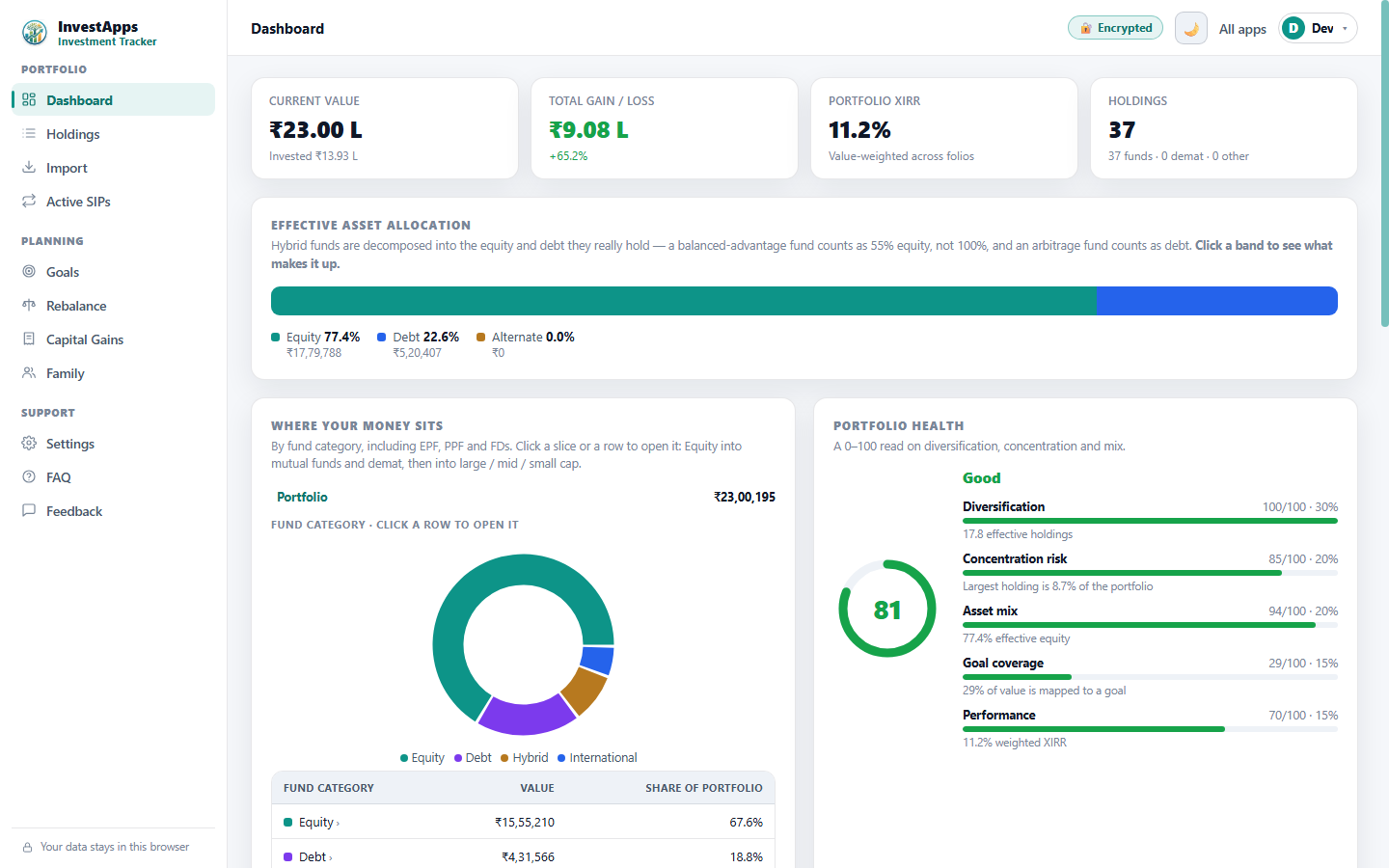
Start here — your whole portfolio at a glance
The Dashboard is your home base: mutual funds, stocks, bonds, EPF, PPF and deposits on one screen, with the true equity/debt split once hybrid funds are decomposed into what they actually hold. New here? Load the built-in sample portfolio to look around before importing anything.
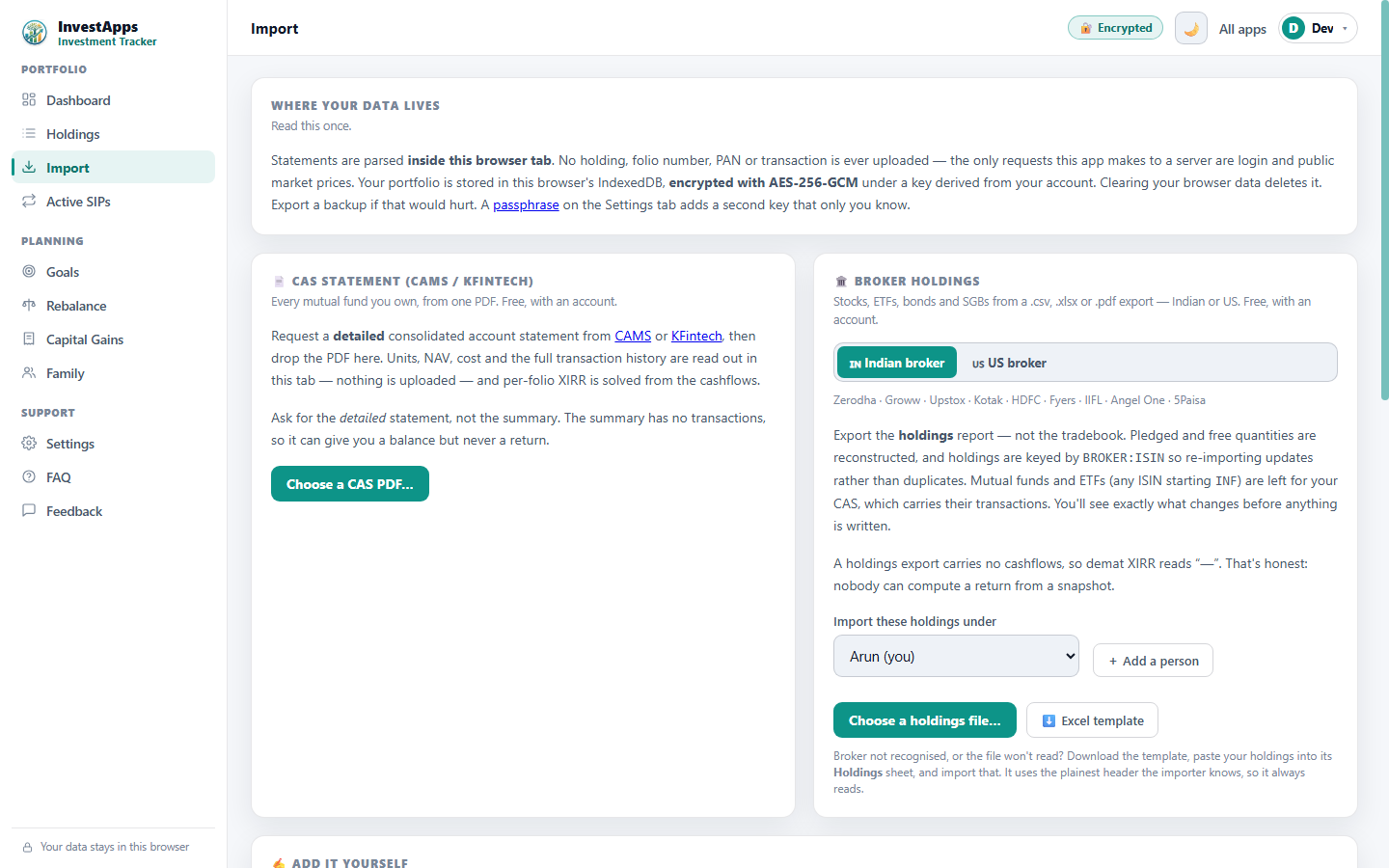
Import: drop in a statement to get started
This is where real data comes in. Drag in a CAMS or KFintech CAS, a broker holdings file, or a bond statement — the PDF is parsed inside your own browser, so nothing is uploaded and we never see it. Add as many as you like; the Investment Tracker merges them into one portfolio.
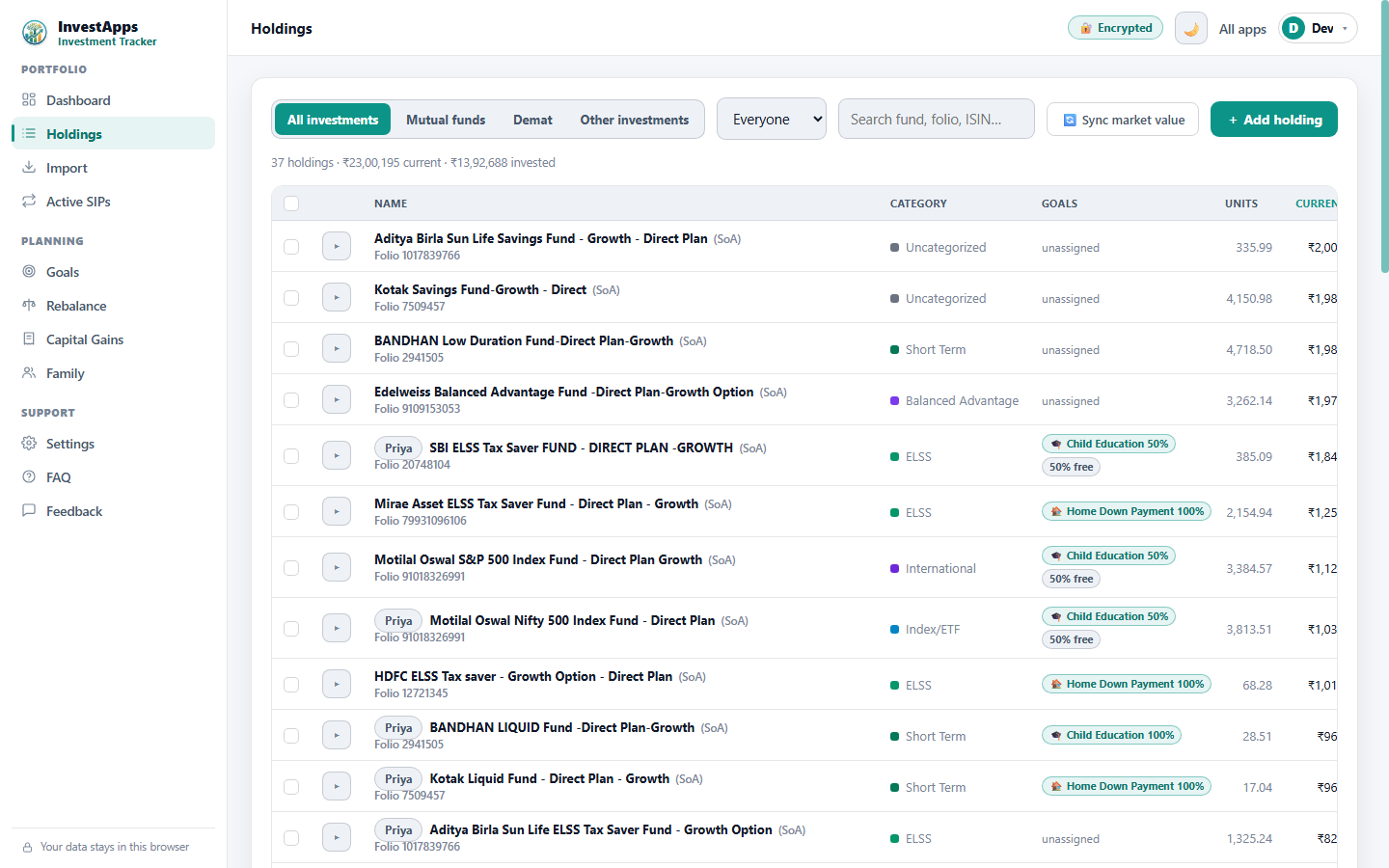
Holdings: check the numbers, fix what's off
Every folio gets a real XIRR — the actual annualised return solved from your own cashflows, not a simple gain percentage. Click any holding to edit it: correct what a statement got wrong, or add what no statement knows about, like an off-market deposit.
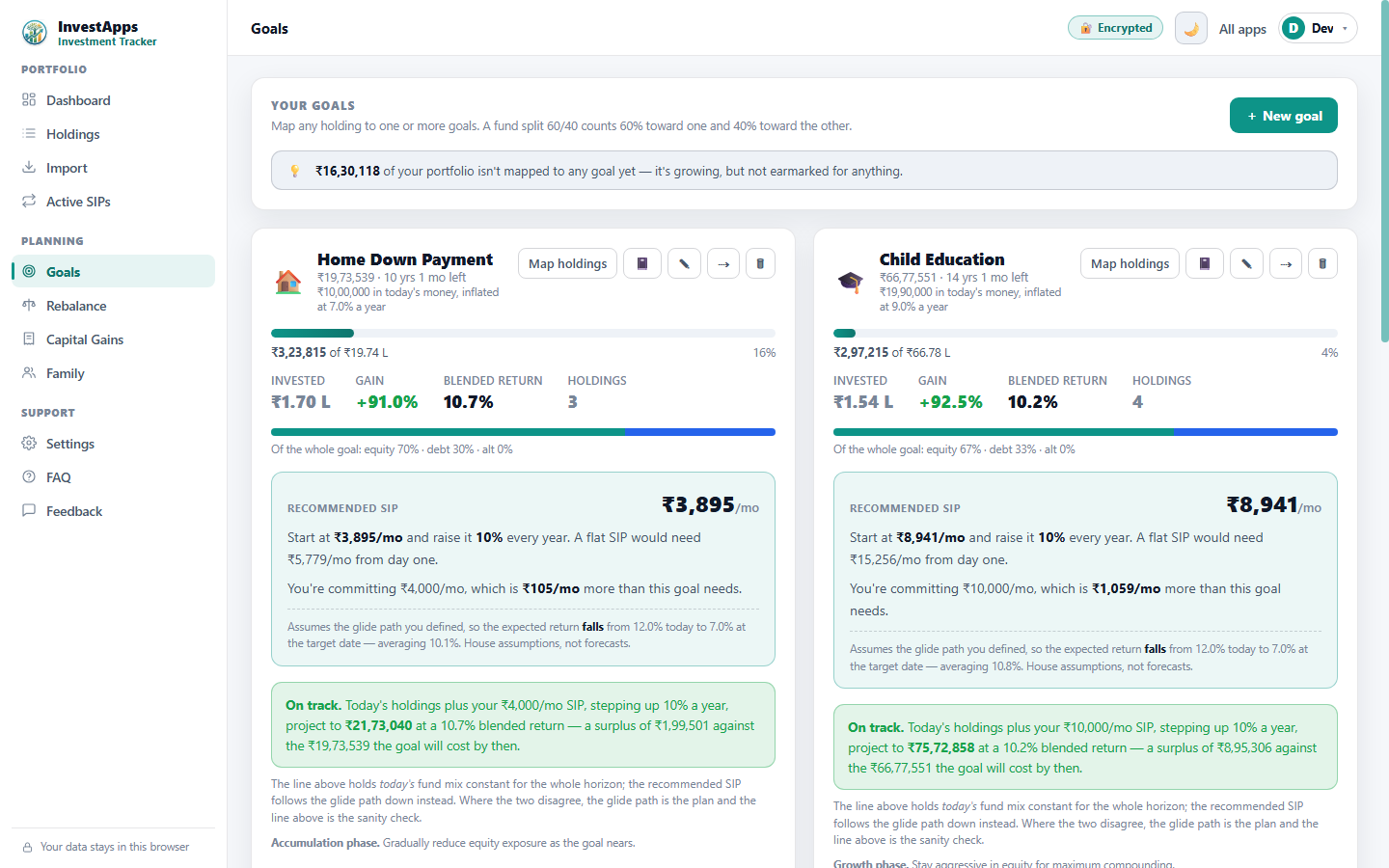
Goals: point holdings at what they're for
Tag holdings to a goal to see whether the money actually gets there: progress against the target, the blended return your real funds are earning, and the exact SIP that closes the gap — with a step-up, if that's the cheaper route.
Rebalance: see the drift, decide the move
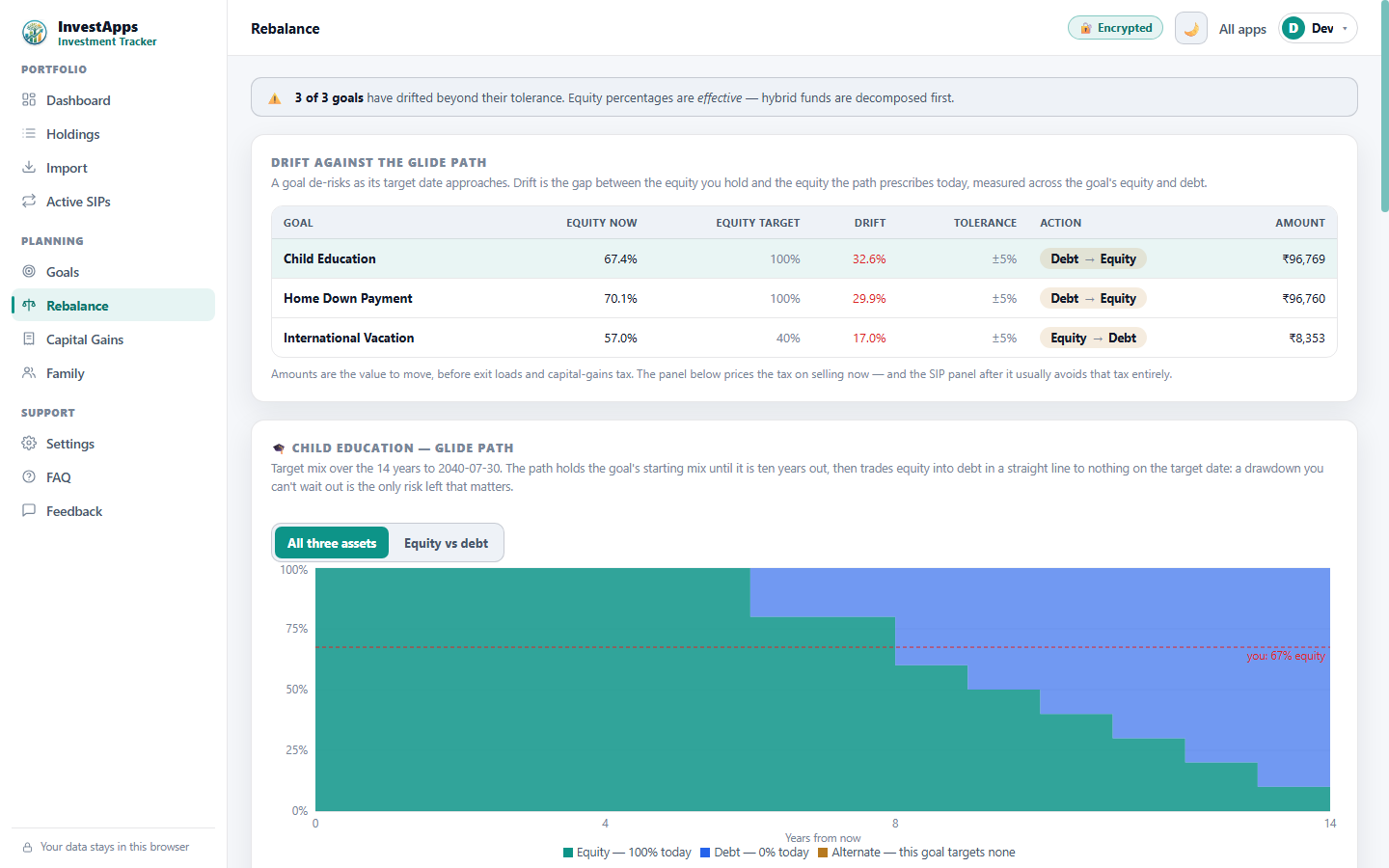
Equity should fall as a goal approaches — that curve is the glide path. Open Rebalance to see how far off target you are, the exact amount to shift, and whether to sell or simply steer your next few SIPs to correct it tax-free.
Capital Gains: price the tax before you sell
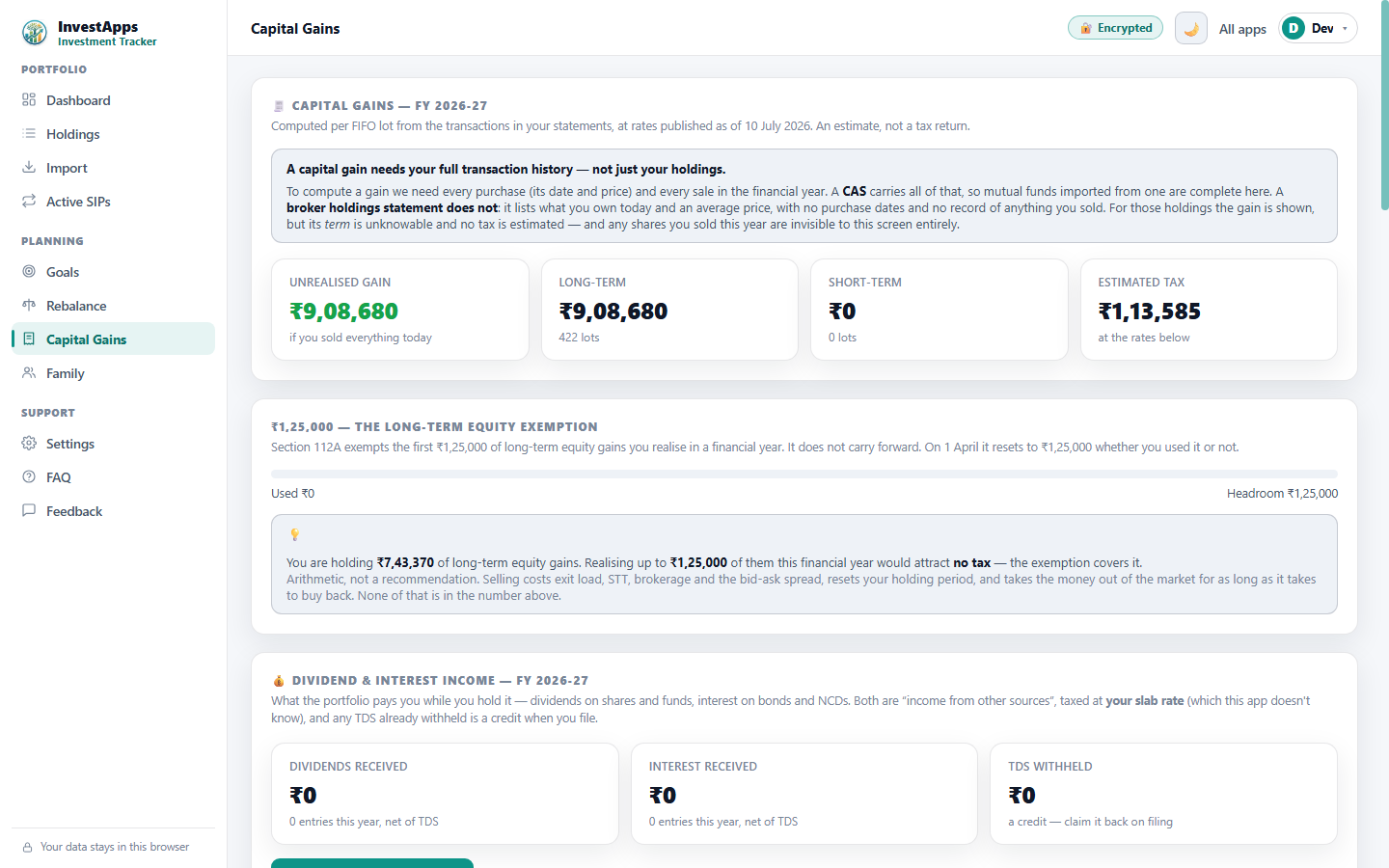
Before you redeem anything, check here. FIFO lots from your real transaction history split long-term from short-term, estimate the tax, and show how much of your ₹1.25 lakh long-term exemption is still unused this year.
Family: add the household, keep it separate
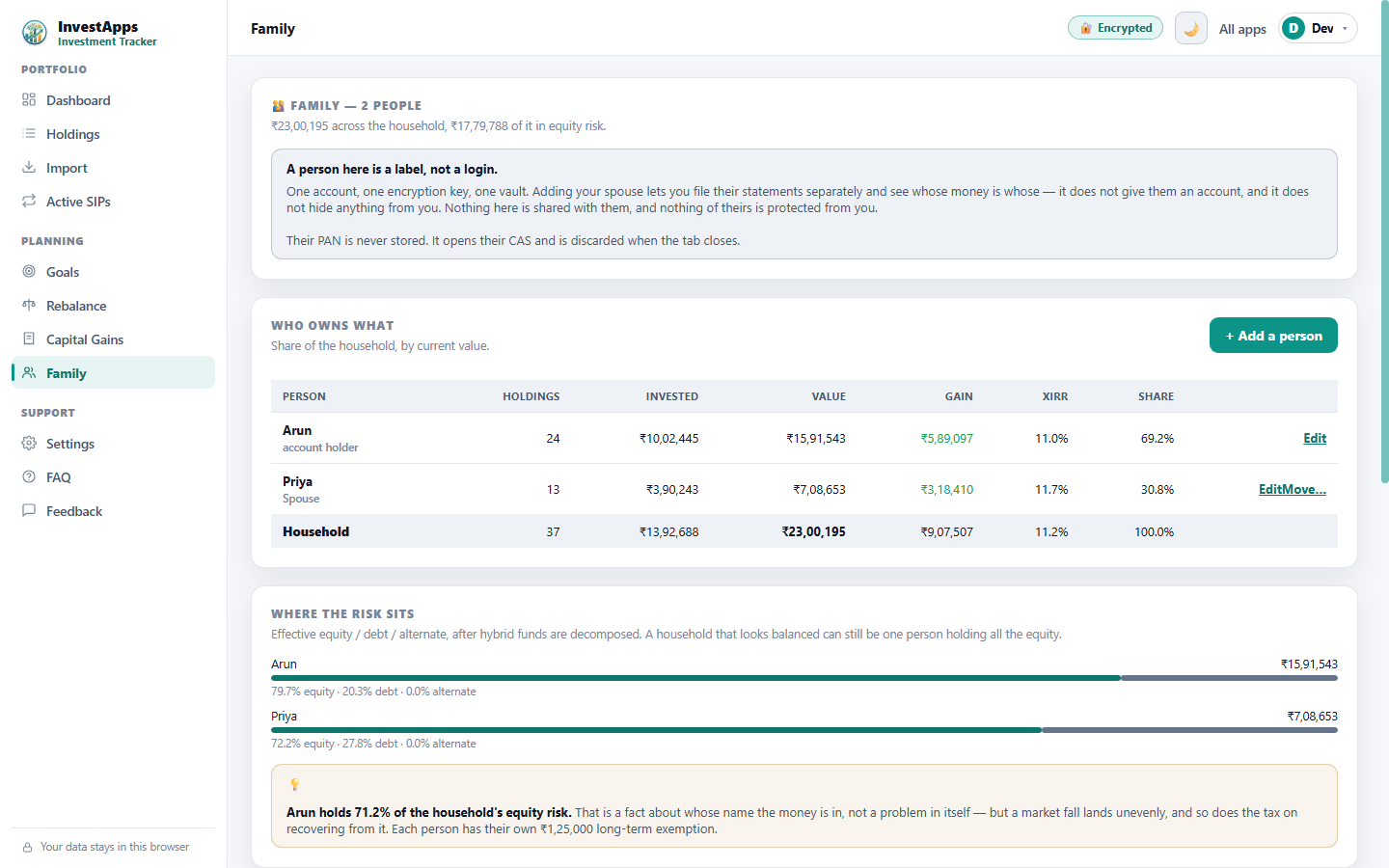
Import your spouse's statements under their own name and see whose money is whose — and where the equity risk really sits. A household that looks balanced overall can still be one person holding all the equity.
Settings: set your passphrase and back up
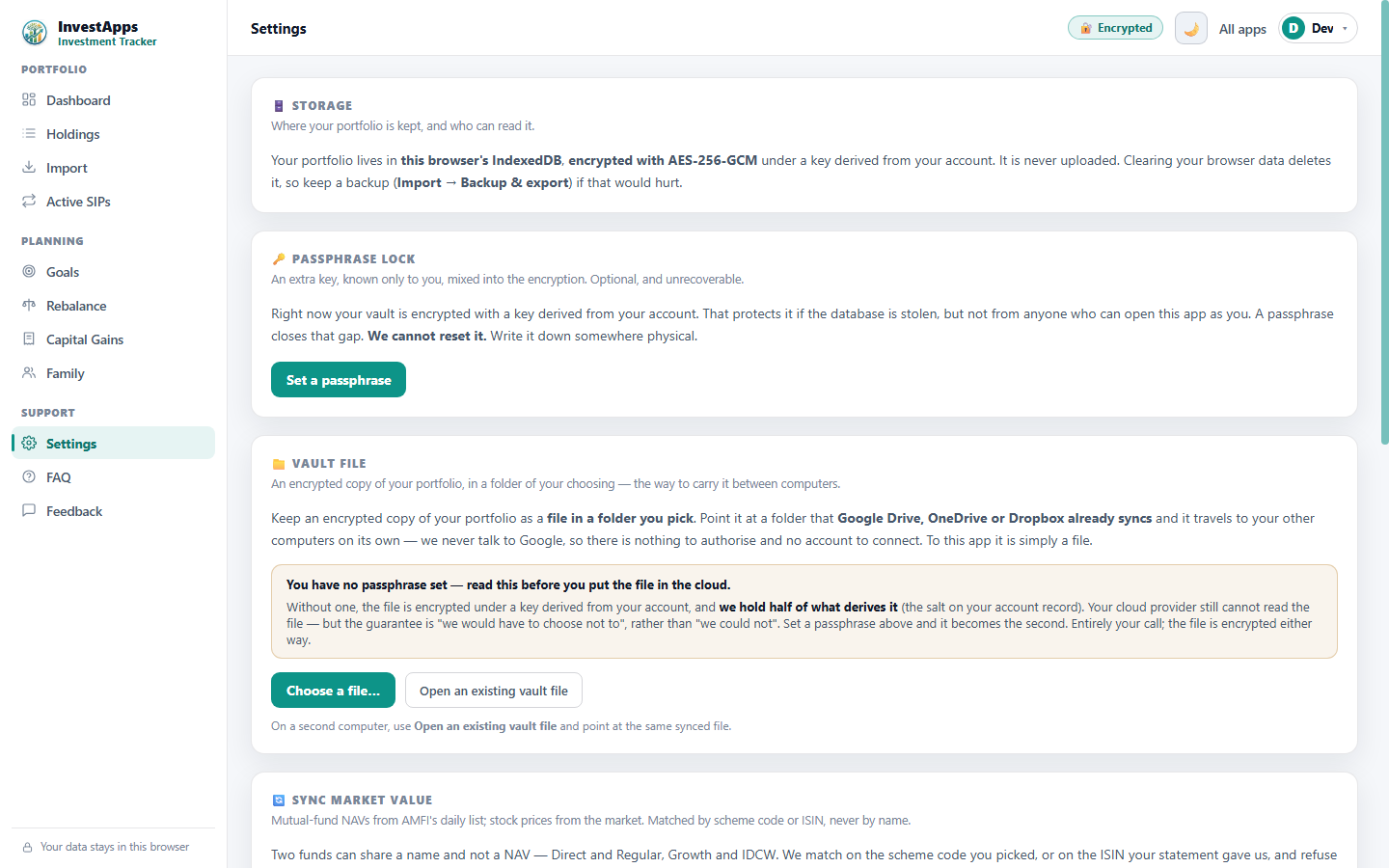
Before you rely on it, lock it down here: set a passphrase only you know, point the encrypted vault at a folder it backs itself up to, and know that one button deletes everything with no copy left behind — because there never was one.
How to use the Investment Tracker, from start to finish
The Investment Tracker exists to answer one question honestly — what do I really own, and how is it doing? — and to keep that answer true over time. Here's the full order of use, from an empty app to a portfolio you review on a schedule. A few of these screens aren't in the tour above; they matter just as much, so they're described here too.
-
1
Look around with the sample portfolio
Open the Dashboard and load the built-in sample portfolio. Nothing here touches real data — it's so you can see the equity/debt split, the tabs and the layout before you import a single statement of your own.
-
2
Import every statement you have
Go to Import and drop in a CAMS or KFintech CAS, a broker holdings file, or a bond statement. Each is parsed inside your browser — nothing is uploaded. Add every account you hold; the Investment Tracker merges them into one portfolio and works out the true equity/debt mix for you, decomposing hybrid funds into what they actually hold.
-
3
Complete the picture in Holdings
On Holdings, read the real XIRR on each folio — the annualised return solved from your own cashflows, not a headline gain. Click a row to fix anything a statement got wrong, and add what no statement knows about: an EPF balance, a fixed deposit, off-market shares.
-
4
Check your transaction history (Transactions tab — not shown above)
The Transactions tab is the ledger behind every holding: each buy, sell and switch, filterable by category, with row-level edit and delete. It's where the XIRR and the capital-gains lots come from, so it's the place to correct a stray entry.
-
5
See what's still running (Active SIPs — not shown above)
The Active SIPs view spots which purchases actually repeat and lists your live monthly commitments, separately from one-off dip buys. It's how you tell an ongoing plan apart from a lump sum you'll never repeat.
-
6
Record dividends and interest (Income ledger — not shown above)
Log dividends and bond interest in the Income ledger so your returns count the cash that never got reinvested. Without it, an income portfolio looks like it's going nowhere when it's actually paying you.
-
7
Point holdings at your goals
Open Goals and tag holdings to what they're for. You'll see progress against the target, the blended return your real funds are earning, and the exact SIP — with an optional step-up — that closes the gap.
-
8
Check your drift on Rebalance
Use Rebalance to compare where you are against the glide path. It tells you the exact amount to shift and whether to sell or simply steer your next few SIPs — the tax-free way to correct drift.
-
9
Price the tax before you sell
Before redeeming anything, open Capital Gains. FIFO lots from your real transactions split long-term from short-term, estimate the tax, and show how much of your ₹1.25 lakh long-term exemption is still unused this year.
-
10
Bring in the household
Import your spouse's statements under their own name in Family and see whose money is whose — and where the equity risk really sits across everyone. A household that looks balanced overall can still be one person holding all the equity.
-
11
Secure it and keep a backup
In Settings, set a passphrase only you know and point the encrypted vault at a folder it backs itself up to. Backup & export lets you take a copy out whenever you like, and one button deletes everything with no copy left behind.
-
12
Research a fund before you buy it (Discover Funds — free, not shown above)
Discover Funds is the one tab that looks outward instead of at what you already own. Search any open scheme AMFI lists — by name, by fund house or by SEBI category — and see what it actually did: its return, its rolling returns from every start date rather than the one you happened to pick, how much it swung, its worst fall, and how it compares with the right index for its category. Put up to five funds on one chart to compare them properly, with the Direct or Regular plan named on every row so a commission gap is never mistaken for a management gap.
It is free, it needs no account, and it is research, not recommendation: there is no ranked "best funds" list, no score, no star rating and no buy/sell/hold language anywhere. InvestApps.in is not registered with SEBI as an investment adviser or a research analyst.
-
13
Model a mix before you commit to it (Fund groups — free, not shown above)
Put several funds into a named group with a weight each, and the Tracker measures that mix as one thing — its return, its volatility, its worst fall and its rolling returns. This answers something four separate fund cards cannot: returns average out, volatility does not, so two funds that fall on different days are steadier together than either is alone.
Choose how often the mix is put back to your weights — never, quarterly, half-yearly or yearly — and the screen shows how many resets that took, because each one is a real sale with an exit load and a tax bill. Add a monthly SIP amount to see what those instalments would have bought, and read the correlation grid to see how alike the funds have really behaved. Starting shapes are offered, but no shape names a fund: you choose every one yourself.
-
14
Review periodically — are you still on track?
The picture only stays true if you refresh it. Each quarter, or whenever a new statement lands, re-import, re-check the XIRR, and glance at goal progress and rebalance drift. Two minutes now and then is what turns the Tracker from a one-time snapshot into an early-warning system.
Screens captured from the live app with a demo portfolio. Figures are illustrative — InvestApps is not a SEBI-registered investment adviser and nothing here is advice. Terms · Privacy · Refunds